
Case study · 2026 · In user testing
Teachers in Uppsala were given access to powerful AI tools and a short onboarding session. Most stopped using them. The interface assumed knowledge they didn’t have. This is the story of what happened when I tried to fix that.
MY ROLE
Product designer, end-to-end
YEAR
2026
DURATION
10 weeks
TOOLS
Figma, Claude
THE CHALLENGE
HOW MIGHT WE
Help teachers write reliable prompts without teaching them prompt engineering?
HOW MIGHT WE
Remove language uncertainty before they even start?
HOW MIGHT WE
Make the tool usable during actual lesson prep, not in dedicated training sessions?
RESEARCH
I conducted qualitative interviews with teachers and supplemented that with secondary research on platforms like Reddit, where people talk openly about their frustrations with AI tools. To speed that up, I used an AI tool to scrape and summarise discussion threads, which let me get through a much larger volume of material than I could have manually.
What came up consistently: teachers did not know what made a prompt work and how to reduce the risk of AI hallucinations. Small changes in wording produced completely different results, with no explanation why. The tool felt unpredictable, so they stopped trusting it.
“AI can’t be trusted, it makes stuff up constantly.”
– Teacher interviewed during research
History and Swedish teacher at a primary school, mentor
Several teachers were genuinely unsure whether to write in Swedish or English and whether it affected the quality of the answer. That uncertainty alone was enough to stop some of them from starting.
PROCESS
01
Discover
Teacher interviews and secondary research to understand real pain points
02
Define
Core barriers: language uncertainty and cognitive load
03
Develop
Three solution directions explored and evaluated against user needs
04
Deliver
Designed, built, and launched. Currently in user testing.
THREE OPTIONS CONSIDERED
A: Prompting coach
Great as a learning tool. Did nothing to help teachers during actual lesson planning.
B: AI-powered checker
Functionally accurate but wasteful on tokens. Not sustainable from a practical standpoint.
C: Pre-filled forms + rule-based checker
Gentle guidance with a practical output. Ready to use straight away. This became the winning design.
SOLUTION
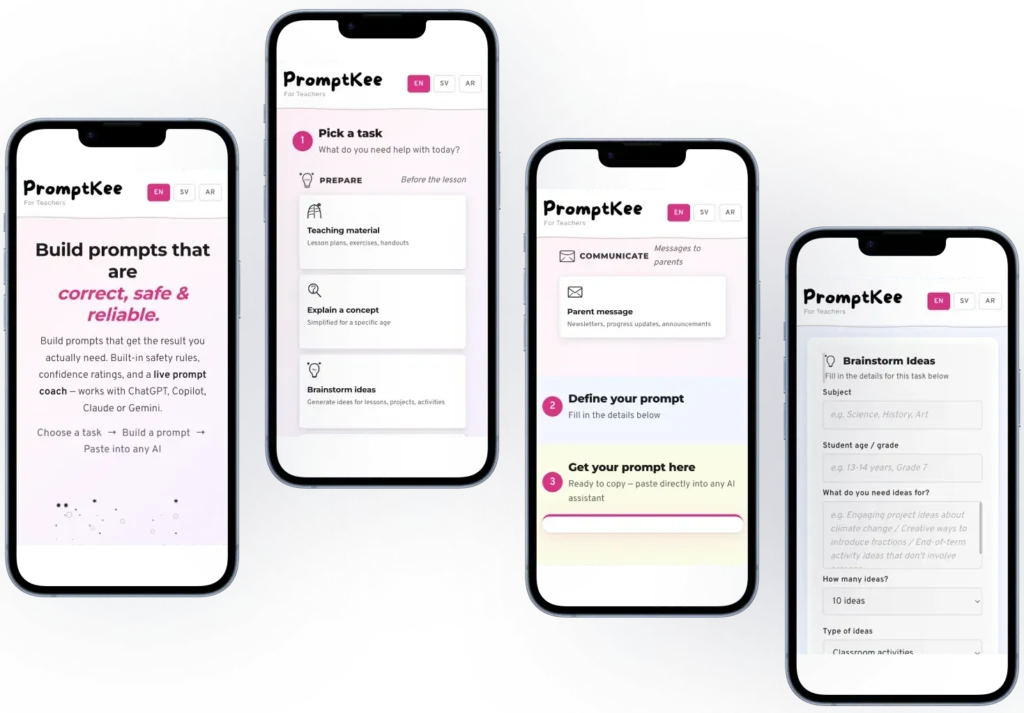
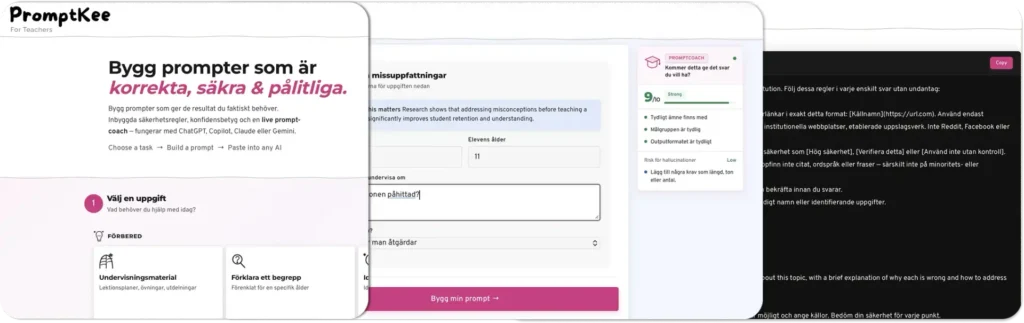
PromptKee is a web-based prompt generator. Based on research I identified the 10 most common AI use cases for teachers. Each one has its own pre-filled form. Teachers fill in the relevant details, generate a prompt, and paste it into whichever AI tool they use.
The generated prompt includes built-in rules: the AI cannot lie, must admit when it does not know something, and must always produce output suitable for a school environment. Teachers do not need to know any of this. It is handled automatically.
OUTCOMES
2/2
Teachers who previously gave up on AI completed a structured prompt without help on their first try
0
Language hesitation observed when the interface was shown in Swedish
All three teachers in the broader testing group responded positively to the concept. Testing also revealed that the interface still assumed more understanding of how AI works than most teachers have. Users lacked a mental model for what the tool was doing behind the scenes. That’s something I had underestimated in the initial design. That finding directly shaped the next iteration, simplifying the language and adding contextual cues to make the process more transparent.
WHAT TESTING TAUGHT ME
The core tension in this project is how to give teachers a genuinely useful tool without asking them to learn anything new. Teachers do not have time for onboarding. The design has to be immediately obvious or it will not get used at all.
REFLECTION
Giving people a tool is not enough. If the interaction is unclear, users will stop and blame the tool, not the onboarding. The teachers I spoke with were not wrong to be frustrated. The entry point just had too much friction.
Language turned out to be a UX problem, not just a content one. Offering the interface in the user’s own language is not a nice-to-have. For some users it directly affects whether they feel confident enough to start at all. That is an accessibility consideration as much as anything else.
We use cookies to improve your experience on our site. By using our site, you consent to cookies.
Manage your cookie preferences below:
Essential cookies enable basic functions and are necessary for the proper function of the website.
These cookies are needed for adding comments on this website.
Statistics cookies collect information anonymously. This information helps us understand how visitors use our website.
Google Analytics is a powerful tool that tracks and analyzes website traffic for informed marketing decisions.
Service URL: policies.google.com (opens in a new window)
You can find more information in our Privacy Policy.